Getting Started
Connecting your wallet and browsing claims
Connecting your wallet
Click the wallet button in the top-right corner of the header to open the connection modal. Any browser wallet works — MetaMask, Rabby, or WalletConnect-compatible wallets.
Once connected, your truncated address appears in the header (e.g., 0x1234...abcd).
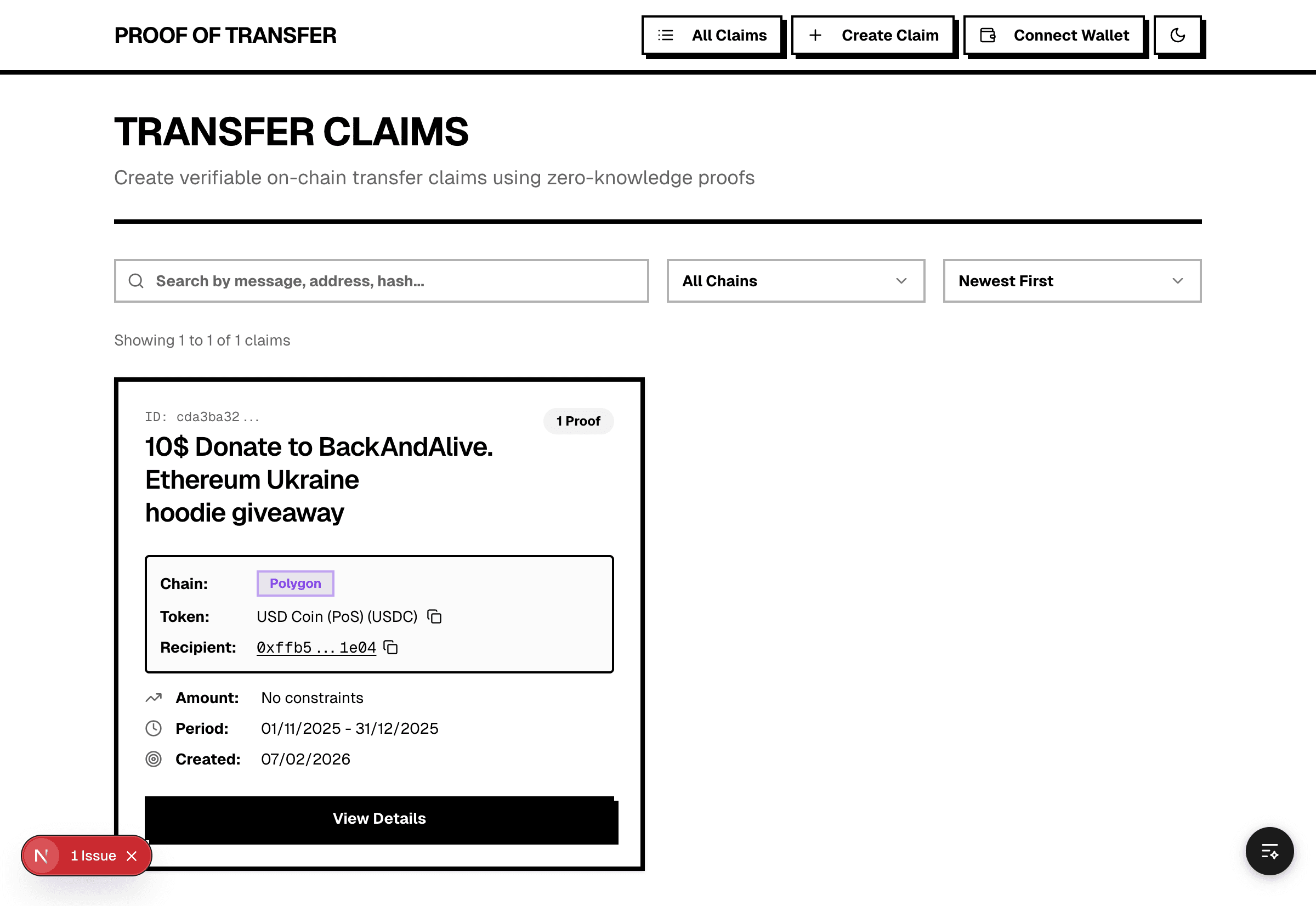
Browsing claims
The home page lists all claims. Each card shows:
- Claim message
- Chain badge
- Token name and symbol
- Counterparty address
- Constraints (amount, count, time range — if set)
- Proof count
- Creation date
Filtering and sorting
- Search — filter by message, address, or hash
- Chain filter — show claims for one chain
- Sort — Newest First, Oldest First, Most Proofs, Least Proofs
Click "View Details" to open a claim — view its transfers, generate a proof, or browse submitted proofs.